Static Application Security Testing with CodeLock
Secure Your App Before It Goes Live
Apply a powerful mobile application security testing that helps you identify vulnerabilities early in the development stage with Bugsmirror CodeLock.
Built specifically for Android and iOS mobile applications, CodeLock performs:
Deep static analysis on your app binaries (no source code required).
Detects more than 50 static vulnerabilities.
Get a SAST report within 2-3 hours (no delay in release now).
Support multiple frameworks and languages.
Easy app upload with a CI/CD pipeline.

Securing Globally Trusted Brands
Bugsmirror MASST is trusted by teams across the industry to ship secure, reliable mobile applications.



















Why is Static Testing Required?
Static application security testing finds and fixes errors in codes early in the development cycle helps in early threat detection, lower costs, and timely secured code.
Mobile apps are going live with hidden vulnerabilities.
Manual code reviews miss vulnerabilities.
Improper coding practices. Developers often lack security expertise.
Sharing source code can be risky.
Security misconfiguration.
Lack of obfuscation.
Why CodeLock?
Everything your team needs to ship secure mobile apps — without slowing down development.
CodeLock bridges the gap between speed and security.
Designed for modern mobile CI/CD pipelines.
Security without slowing releases.
Reduce risk of data breaches and reverse engineering.
Empower developers with clear, actionable insights.
Ensure your app meets industry security standards.
How CodeLock Works?
CodeLock uses advanced Static Application Security Testing (SAST) techniques to analyze your mobile application at the binary level without executing the app. This ensures fast, safe, and accurate detection of vulnerabilities while keeping your source code fully protected.
Step 1
Upload Your App Securely
Simply upload your Android (APK) or iOS (IPA) file to CodeLock. The platform ensures secure handling of your application, maintaining complete confidentiality and data protection throughout the process.
- Android (APK)
- iOS (IPA)
Step 1
Upload Your App Securely
Simply upload your Android (APK) or iOS (IPA) file to CodeLock. The platform ensures secure handling of your application, maintaining complete confidentiality and data protection throughout the process.
Android
APK
iOS
IPA
Step 2
Binary Decompilation & Code Reconstruction
CodeLock intelligently decompiles the application binary to reconstruct its internal structure. This allows deep visibility into:
- Application Logic
- Embedded Resources
- Configurations and Dependencies
All of this is done without requiring access to your original source code.
All of this is done without requiring access to your original source code.
Step 2
Binary Decompilation & Code Reconstruction
CodeLock intelligently decompiles the application binary to reconstruct its internal structure. This allows deep visibility into:
Step 3
In-Depth Security Scanning
The CodeLock engine performs a comprehensive mobile app security scan to identify vulnerabilities across multiple layers, including:
- Code Logic – Insecure coding practices and logic flaws
- Configurations – Misconfigurations and exposed settings
- Permissions – Over-permissioned or risky access controls
- Data Handling – Insecure storage or transmission of sensitive data
- Cryptographic Implementations – Weak or improper encryption methods
This ensures coverage of real-world attack surfaces commonly exploited in mobile apps.
Step 3
In-Depth Security Scanning
The CodeLock engine performs a comprehensive mobile app security scan to identify vulnerabilities across multiple layers, including:
Insecure coding practices and logic flaws
Misconfigurations and exposed settings
Over-permissioned or risky access controls
Insecure storage or transmission of sensitive data
Weak or improper encryption methods
This ensures coverage of real-world attack surfaces commonly exploited in mobile apps.
Step 4
Risk Analysis & Threat Prioritization
Each detected issue is evaluated using industry-standard risk models to determine:
- Severity (Critical, High, Medium, Low)
- Real-world exploitability
- Potential business impact
This helps security teams and developers prioritize what matters most, reducing noise and focusing on high-risk vulnerabilities.
This helps security teams and developers prioritize what matters most, reducing noise and focusing on high-risk vulnerabilities.
Step 4
Risk Analysis & Threat Prioritization
Each detected issue is evaluated using industry-standard risk models to determine:
Step 5
Detailed Actionable Security Report
Once the scan is complete, CodeLock generates a comprehensive security report with actionable insights, including:
- Exact location of vulnerabilities
- Vulnerability Assessment Score
- Severity & Risk Level classification
- Vulnerability Breakdown & OWASP category mapping
- CVSS Score & Attack Vector details
- Clear Remediation guidance
- Proof of Concept (PoC) for better understanding
This structured reporting enables developers to quickly understand, prioritize, and fix vulnerabilities, improving overall application security.
Step 5
Detailed Actionable Security Report
Once the scan is complete, CodeLock generates a comprehensive security report with actionable insights, including:
This structured reporting enables developers to quickly understand, prioritize, and fix vulnerabilities, improving overall application security.
By combining binary analysis, automated scanning, and intelligent reporting, CodeLock ensures your mobile app is secure, compliant, and ready for production without slowing down your development lifecycle.
Why CodeLock is the Best SAST Tool for Mobile Apps
Unlike traditional SAST tools designed for web applications, CodeLock is built specifically for mobile ecosystems.
Advanced Vulnerability Detection
Identify 50+ mobile app vulnerabilities, including insecure storage, misconfigurations, and exposed components.
Detailed Security Reports
Get a comprehensive report with:
- Vulnerability severity (Critical, High, Medium, Low).
- Exact location of the issue.
- Clear explanation of the risk.
- Step-by-step remediation guidance.
Hardcoded Secrets Detection
Automatically detects:
- API keys
- Tokens
- Credentials
- Sensitive configuration data
Binary-Based Scanning (No Source Code Needed)
CodeLock scans APK/IPA files directly, ensuring:
- No source code exposure
- Full IP protection
- Easy integration into existing workflows
Multi-Language Support
Supports major mobile development technologies and frameworks.
Works With Your Entire Stack
CodeLock supports a wide range of mobile technologies — from native Android and iOS to hybrid and cross-platform frameworks.












Built for Every Security Scenario
From pre-launch audits to continuous CI/CD security — CodeLock fits every stage of your mobile development lifecycle.
Pre-release security testing helps identify and fix vulnerabilities early, reduces remidiation costs and ensures secure app launches with minimal risk.
Secure code audits for fintech, banking, and healthcare apps etc. protect sensitive data and uncover critical security issues.
Compliance readiness (RBI, OWASP MASVS, SEBI, NPCI) with security testing helps meet regulations and strengthen app security.
Third-party app security validation helps detect hidden vulnerabilities before integration and reduces security risks.
Supports automated SAST scanning for faster, consistent security testing with minimal manual effort.
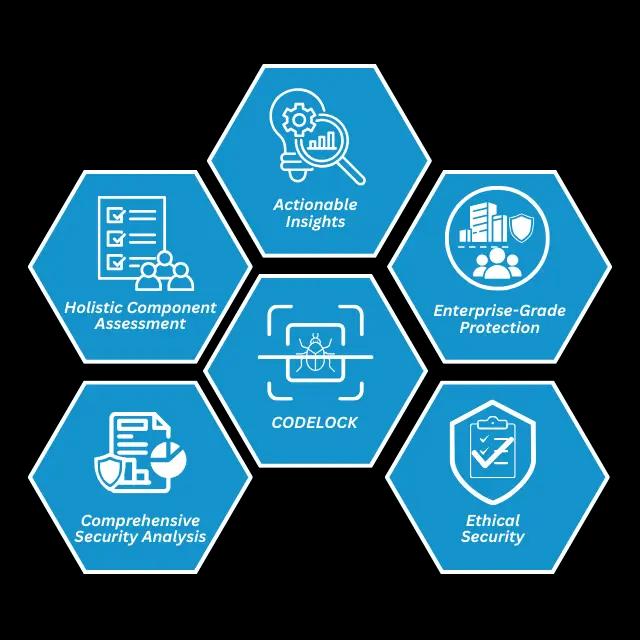
Learn More From Our Security Blog
Dive deeper into application security testing and how it protects your codebase.
What are SAST (Static Application Security Testing) tools?
Security starts with your code. SAST tools scan your application early in development to uncover hidden vulnerabilities before attackers ever see them.
Why Are Static Application Security Testing Tools Important for Developers?
Security flaws hidden in application code can become expensive problems after release. This blog explains how SAST tools help developers find vulnerabilities early, improve secure coding, and strengthen applications before they reach production.
FAQs
Have questions about CodeLock? Find answers to common inquiries about our mobile application security testing platform.

Identify code-level issues before they reach production—secure your app with CodeLock’s fast and automated vulnerability detection